Colorband App
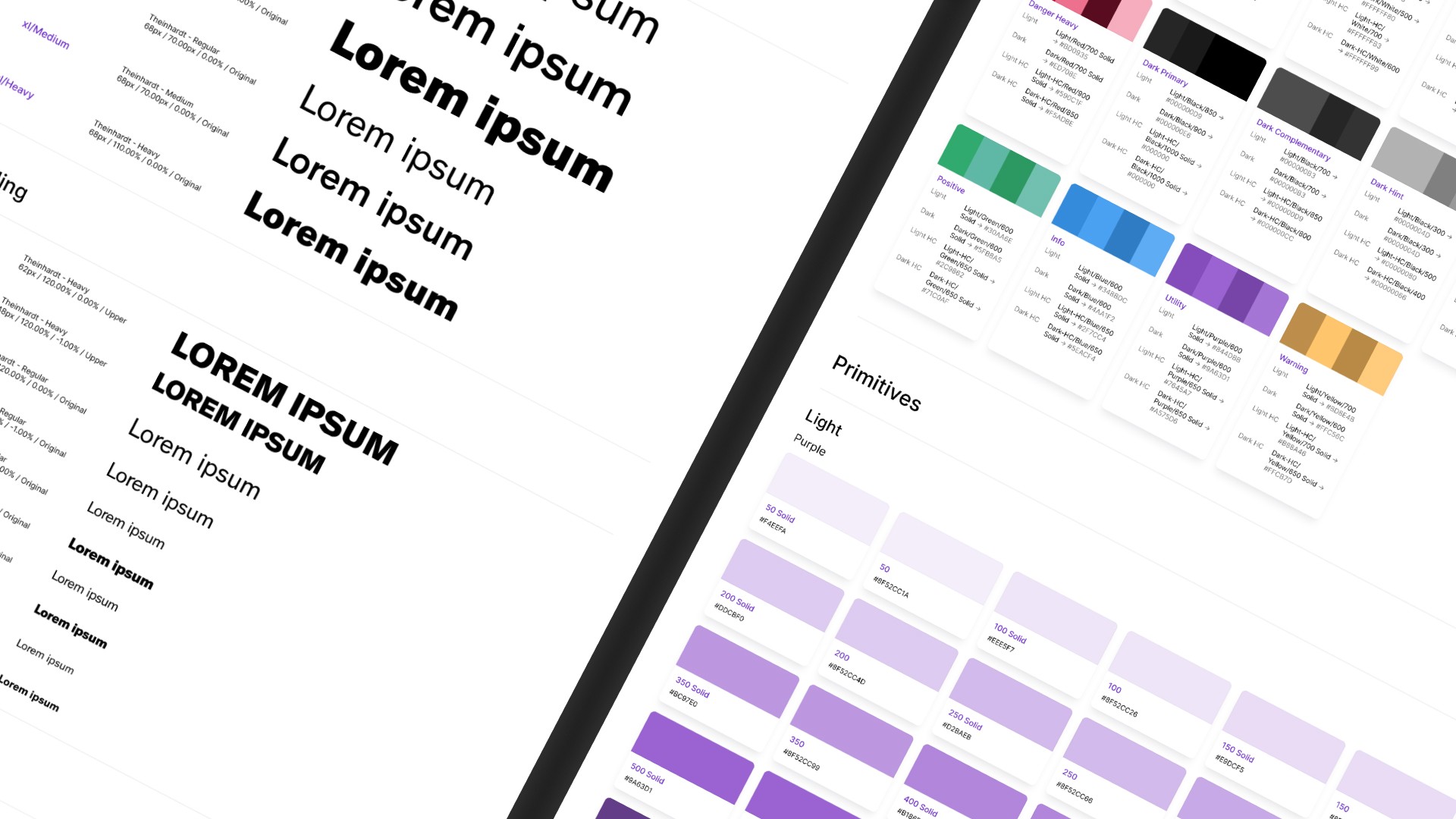
Colorband turns a few brand hex codes into full 11-step color ramps, where every ramp is built on the same lightness ladder so they all work together. It runs entirely in the browser and exports to CSS variables, Tailwind or Figma tokens, with a dark set generated alongside the light one.
Client
Public
Employer
Personal Project
Type
Design Ops

Why I built it
Over the last few years I've built quite a few design systems that have to carry more than one brand, either a parent brand with its sub-brands, or a platform where each tenant gets their own colors. Every brand comes in with a handful of hex codes, and from those you need a full ramp per color, usually eleven steps from light to dark.
Doing that by hand is very time-consuming, but the real issue is that ramps built one brand at a time never quite line up. One brand's 600 lands on a mid-tone while another's is nearly black, so a component that uses brand-600 ends up looking different in every tenant. And contrast that was fine for the first brand will quietly fail for the fourth.
So I decided to build a tool for it. The goal was simple: paste in the colors a brand gives you, and get back full ramps that all sit on the same lightness ladder, so they work together without any manual tuning.
How it works
Setting up the ladder itself was pretty straight-forward, however getting it to hold for every hue was a lot trickier.
Perceived lightness doesn't line up with what a hex code suggests, so everything is built in OKLCH, where one step is the same visual jump regardless of hue. Even then hues don't behave the same way: to hit a contrast ratio of 4.5:1 on white, a green has to go noticeably darker than a red does. So if every ramp locks to the same ladder, some of them will miss the contrast they need.
Three of the eleven steps therefore carry a contract: 500 clears 3:1 for large text and UI, 600 clears 4.5:1 for body text, and 700 clears 7:1 for AAA. Those steps get nudged along the ladder until they actually meet their ratio, which is why the greens sit a little darker than the reds in light mode, and the other way around in dark mode. It means an alert built from any brand in the palette reads at the same strength.
The other thing is that not every color can be treated the same way. Some are dictated by branding and have to stay exactly as delivered, hexcode and all. Others are accents, where I'd rather the system pick the lightness and saturation for me. And a grey with a slight cast (eg. #69737E) should stay a subtle grey, rather than being read as a blue and re-saturated into something colorful. So each ramp gets one of three modes: "Fixed" keeps your exact hexcode and its chroma, "Adaptive" keeps only the hue and lets the system handle the rest, and "Neutral" keeps the hue but caps the chroma right down.
Dark mode is generated alongside rather than flipped. Each step still has to do the same job on a dark surface as it does on a light one, so the dark ramps are rebuilt from scratch, and the export always carries both sets.


Checking the palette
Since the whole point is that the ramps work together, the tool also shows its work. There's the shared ladder with every ramp's steps plotted on it, each ramp's chroma path, and a hue wheel that flags any two hues close enough to read as the same color. A separate view lists, per ramp, which steps pass AA and AAA on your light surface, your dark surface, and on the ramp's own lightest tint.
Can I use it?
It's live at colorband.app and free to use. Everything runs in your own tab, so there's no account, no server and no tracking. The palette you build is saved locally and encoded into the share link, so sending someone a link sends them the whole palette and nothing else.